Cisco IoT Field Network Director Data Sheet
Available Languages
Bias-Free Language
The documentation set for this product strives to use bias-free language. For the purposes of this documentation set, bias-free is defined as language that does not imply discrimination based on age, disability, gender, racial identity, ethnic identity, sexual orientation, socioeconomic status, and intersectionality. Exceptions may be present in the documentation due to language that is hardcoded in the user interfaces of the product software, language used based on RFP documentation, or language that is used by a referenced third-party product. Learn more about how Cisco is using Inclusive Language.
Cisco IoT Field Network Director (FND) is an Operational Technology (OT) network management system for managing large scale, multiservice Field Area Networks (FANs), including Cisco industrial routers, connected grid routers, and endpoints.
Features that distinguish IoT FND are as follows:
● Ease of deployment at scale with Zero-Touch Deployment (ZTD) of industrial routers and endpoints
● Supported scale of 50,000 industrial routers, or 10,000 industrial routers combined with 10M meters/endpoints with group-based device configuration and firmware upgrade
● Lifecycle management of edge applications hosted on industrial routers
● A rich set of northbound APIs for third-party application integration
IoT FND is essential to the success of Internet of Things (IoT) solution deployments in the Utility space, particularly Advanced Metering Infrastructure (AMI) and Distribution Automation (DA) use cases. It is a proven system on which many of our customers rely every day to deliver critical infrastructure services to millions of their customers.
Cisco IoT Field Network Director is built on a layered system architecture to enable clear separation between network management functionality and applications such as a Distribution Management System (DMS), Outage Management System (OMS), and Meter Data Management (MDM). This clear separation between network management and applications helps customers deploy IoT projects incrementally, for example, by bringing together a Utility’s AMI and DA use cases. Further, a northbound API from the IoT Field Network Director allows various applications to pull and subscribe to appropriate, service-specific network communications data from a shared, multiservice communication network infrastructure. (See Figure 1)
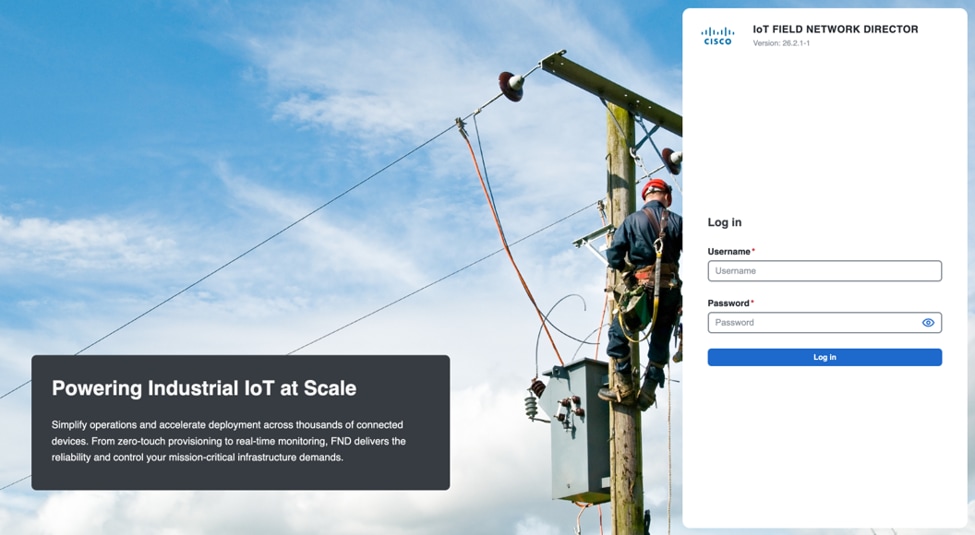
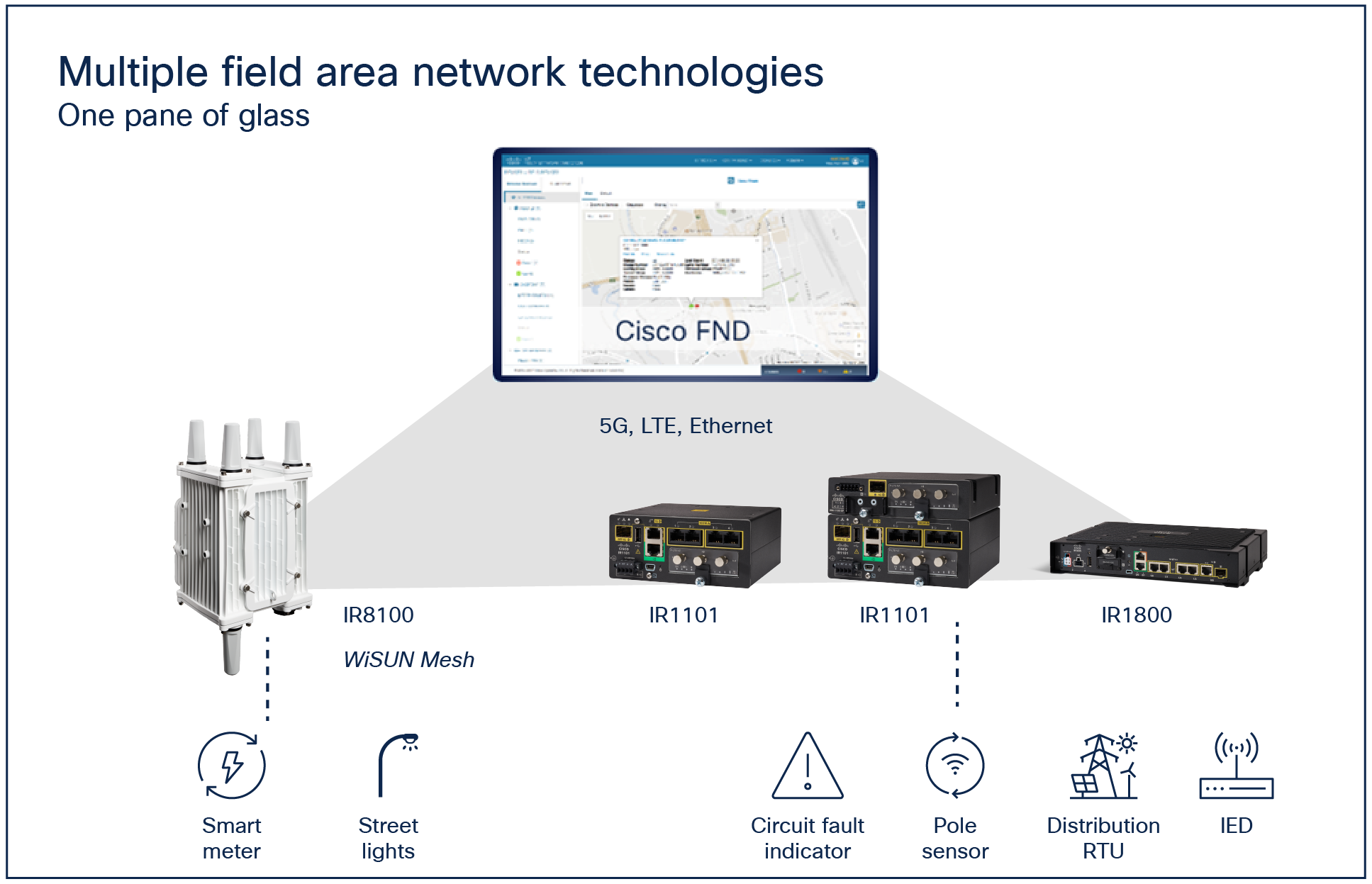
IoT Field Network Director user interface
Core functionalities and supported devices
Table 1 describes IoT FND functionality, and Tables 2 through 4 list supported devices.
Table 1. Functionality
| Function |
Description |
| End-to-end security management |
● Fully automated, highly secure ZTD for gateways and endpoints
● Provisions mobile field technicians with time-bound security credentials to perform authorized field maintenance
● Integrates with enterprise security policies and role-based access control for network devices
● Provides device-level authentication through Cisco SUDI or Authentication, Authorization, and Accounting (AAA) and RADIUS integration and alerts operators of attempted rogue device access to communication networks
● Integrates with standard Security Information and Event Management (SIEM) to help enable security and reporting needs (NERC-CIP compliance)
|
| Fault management |
● Fault event collection, filtering, and correlation for communication network monitoring
● Supports a variety of fault event mechanisms for threshold-based rule processing, custom alarm generation, and alarm event processing
● Faults can be visualized on a color-coded GIS map view for the various gateways and endpoints
● Allows operator-level custom fault event generation, processing, and forwarding to various applications, such as an outage management system
● Automatic issue tracking based on events collected
|
| Configuration management |
● Performs over-the-air software and firmware upgrades to remote endpoints
● Allows centralized configuration management, including change control enforced through operator role-based access control
● Delivers flexible device grouping options, including policy-based management and methods for deploying configuration changes
|
| Accounting management |
● Logs access information for user activity for audit, regulatory compliance, and SIEM integration
● Simplifies management and enhances compliance by integrating monitoring, reporting, and troubleshooting capabilities
|
| Performance management |
● Displays color-coded, real-time performance information on a GIS-based map
● Monitors and collects network device status and statistics
● Collects a standard set of metrics related to the operations network
● Provides a powerful threshold-based rule processing engine for exception reporting and visualization on a GIS map in real time
● Enables customized metrics collection frequency, along with historical trend reporting to suit operational needs
|
| GIS map visualization, diagnostics, and troubleshooting tools |
● Allows entire network and security management function visualization on a GIS map view for operator ease of use
● Provides a color-coded state view, enabling a network operator to easily pinpoint network regions and devices to troubleshoot
● Provides real-time troubleshooting using ping and traceroute with visual output on a GIS map, with primary metrics for each link, node, and endpoint
● Provides geo tracking for mobile gateways based on GPS coordinates
|
| Northbound API |
● Allows ease of integration for existing applications, such as OMS, MDM, trouble-ticketing systems, and manager of managers
|
Table 2. Supported routers and endpoints
| Function |
Description |
| Cisco Catalyst IR1100 Rugged Series Routers |
IR1101-K9 IR1101-A-K9 |
| Cisco IR1000 Rugged Series Secure Routers |
IR1001-G2 IR1005-G2 |
| Cisco Catalyst IR8100 Heavy Duty Series Routers |
IR8140H-K9 IR8140H-P-K9 (PoE enabled) |
| Cisco Catalyst IR1800 Rugged Series Routers |
IR1821-K9 IR1831-K9 IR1833-K9 IR1835-K9 |
| Cisco 1000 Series Connected Grid Routers |
CGR1240/K9 * FND 5.1 is the last release to officially support the CGR1240 |
| Cisco 500 Series Wireless Personal Area Network (WPAN) Industrial Routers |
IR510-OFDM-FCC/K9 IR510-OFDM-ANZ/K9 IR510-OFDM-BRZ/K9 IR530D-OFDM-FCC/K9 IR530S-OFDM-FCC/K9 |
| Cisco 800 Series Industrial Integrated Services Routers |
Dual LTE IR829M-2LTE-EA-AK9 IR829M-2LTE-EA-BK9 IR829M-2LTE-EA-EK9 IR829B-2LTE-EA-AK9 IR829B-2LTE-EA-BK9 IR829B-2LTE-EA-EK9 IR829-2LTE-EA-AK9 IR829-2LTE-EA-BK9 IR829-2LTE-EA-EK9 Single LTE IR829M-LTE-EA-AK9 IR829M-LTE-EA-BK9 IR829M-LTE-EA-EK9 IR829M-LTE-LA-ZK9 IR829B-LTE-EA-AK9 IR829B-LTE-EA-BK9 IR829B-LTE-EA-EK9 IR829GW-LTE-NA-AK9 IR829GW-LTE-VZ-AK9 IR829GW-LTE-GA-EK9 IR829GW-LTE-GA-ZK9 IR829GW-LTE-GA-CK9 IR829GW-LTE-GA-SK9 IR829GW-LTE-LA-*K9 |
| Cisco Connected Grid Endpoint |
CGE |
Table 3. Supported head end routers
| Product name |
Product ID |
| Cisco Integrated Services Routers |
ISR3900 ISR4431 ISR4321 |
| Cisco Aggregation Services Routers |
ASR1002-X ASR1002 |
| Cisco Cloud Services Router |
CSR1000V |
| Cisco Catalyst 8500 Series Edge Platform |
C8550-G2 C8500L-8S4X C8500-12X C8300-1N1S-4T2X C8000V |
Note: IoT Field Network Director does not manage head end routers. It only monitors them for reachability and tunnel status.
Table 4. Supported third-party gateways and endpoints
| Vendor |
Product |
| Cohda Wireless |
MK5 OBU MK5 RSU |
| Itron |
OpenWay Riva ACT OpenWay Riva ACT Gateway OpenWay Riva ACT Extender OpenWay Riva BACT OpenWay Riva BACT Controller OpenWay Riva CAM1 |
| Landis+Gyr |
N2450 Gateway Revelo Endpoints M125, M225 Endpoints R661 Extender |
Cisco IoT Field Network Director License Product IDs
To deploy FND, a perpetual application license needs to be purchased along with a set of subscription device licenses.
Table 5 lists subscription product IDs, and Table 6 lists perpetual PIDs.
Table 5. Subscription product IDs
| Subscription PID |
Description |
| IOTFND-SOFTWARE-K9 |
Top-level PID for subscription licenses for devices |
| IOTFND-IR1000 |
IoT FND subscription license for managing IR1001/IR1005 router |
| IOTFND-IR1100 |
IoT FND subscription license for managing IR1101 router |
| IOTFND-IR8100 |
IoT FND subscription license for managing IR8100 router |
| IOTFND-EP-1K |
IoT FND subscription license for managing 1000 endpoints |
| IOTFND-BEP-1K |
IoT FND subscription license for managing 1000 battery endpoints |
| IOTFND-EP-100 |
IoT FND subscription license for managing 100 endpoints |
| IOTFND-CEP-1K |
IoT FND subscription license for managing 1000 cellular endpoints |
| IOTFND-IR1800 |
IoT FND subscription license for managing IR1800 router |
| IOTFND-N2450 |
IoT FND subscription license for managing L+G N2450 router |
Note: Maintenance price and IOx license are included in the pricing with subscription PIDs.
Table 6. Perpetual application PIDs
| Perpetual PID |
Description |
| IOT-FND |
Top-level PID for perpetual FND application license |
| R-IOTFND-K9 |
IoT FND RPM distribution for bare metal deployment without the database |
| R-IOTFND-VPI-K9 |
IoT FND OVA virtual machine with Postgres DB (recommended for gateway management) |
Recommended hardware configuration
Please refer to the system requirements and resource management guidelines in the latest FND release notes for up-to-date information: https://www.cisco.com/c/en/us/support/cloud-systems-management/iot-field-network-director/products-release-notes-list.html
Table 7 lists the recommended FND software packages for different use cases. For Cisco CG-Mesh and Wi-SUN deployment in AMI, DA, DR, and outdoor lighting, use the RPM package with Oracle Enterprise DB. For gateway management up to 50,000 gateways, the Postgres OVA offers a simple way of getting the management system up and running.
Table 7. Recommended FND software package options for different use cases
| Use case |
Recommended software package |
| AMI with up to 10 million meters |
IoT FND RPM distribution for bare metal deployment (R-IOTFND-K9) plus Oracle Enterprise1 |
| Distribution Automation (DA) up to 50,000 routers |
IoT FND OVA virtual machine distribution for gateway management (R-IOTFND-VPI-K9) |
1 Customer will need to purchase the DB, separate servers & RHEL subscriptions to run FND.
IoT FND is a critical application for monitoring and managing a connected grid. IoT FND High Availability (IoT FND HA) solutions address the overall availability of IoT FND during software, network, or hardware failures.
IoT FND provides two main levels of HA:
● IoT FND Server HA
● IoT FND Database HA
For high system throughput, high availability, server load balancing, and redundancy, we recommend having at least two servers running the Cisco IoT Field Network Director software application and two servers running the primary and secondary databases in replication mode. High availability is only supported through Oracle in bare metal deployment model referenced in Tables 7 and 8 above. Please see FND installation guides for more information on supported High Availability deployments.
Cisco environmental sustainability
Information about Cisco’s environmental sustainability policies and initiatives for our products, solutions, operations, and extended operations or supply chain is provided in the “Environment Sustainability” section of Cisco’s 2018 Corporate Social Responsibility (CSR) Report.
Reference links to information about key environmental sustainability topics (mentioned in the “Environment Sustainability” section of the CSR Report) are provided in the following table:
| Sustainability topic |
Reference |
| Information on product-material-content laws and regulations |
|
| Information on electronic waste laws and regulations, including products, batteries, and packaging |
Flexible payment solutions to help you achieve your objectives
Cisco Capital makes it easier to get the right technology to achieve your objectives, enable business transformation and help you stay competitive. We can help you reduce the total cost of ownership, conserve capital, and accelerate growth. In more than 100 countries, our flexible payment solutions can help you acquire hardware, software, services and complementary third-party equipment in easy, predictable payments. Learn more.
For more information about the Cisco IoT Field Network Director, visit https://www.cisco.com/go/fnd.
For more information about the Cisco IR1101 Rugged Series Routers, visit https://www.cisco.com/go/ir1101.
For more information about the Cisco IR1000 Series Rugged Secure Routers, visit https://www.cisco.com/go/ir1000.
For more information about the Cisco 8100 Heavy Duty Series Router, visit https://www.cisco.com/go/ir8100.